
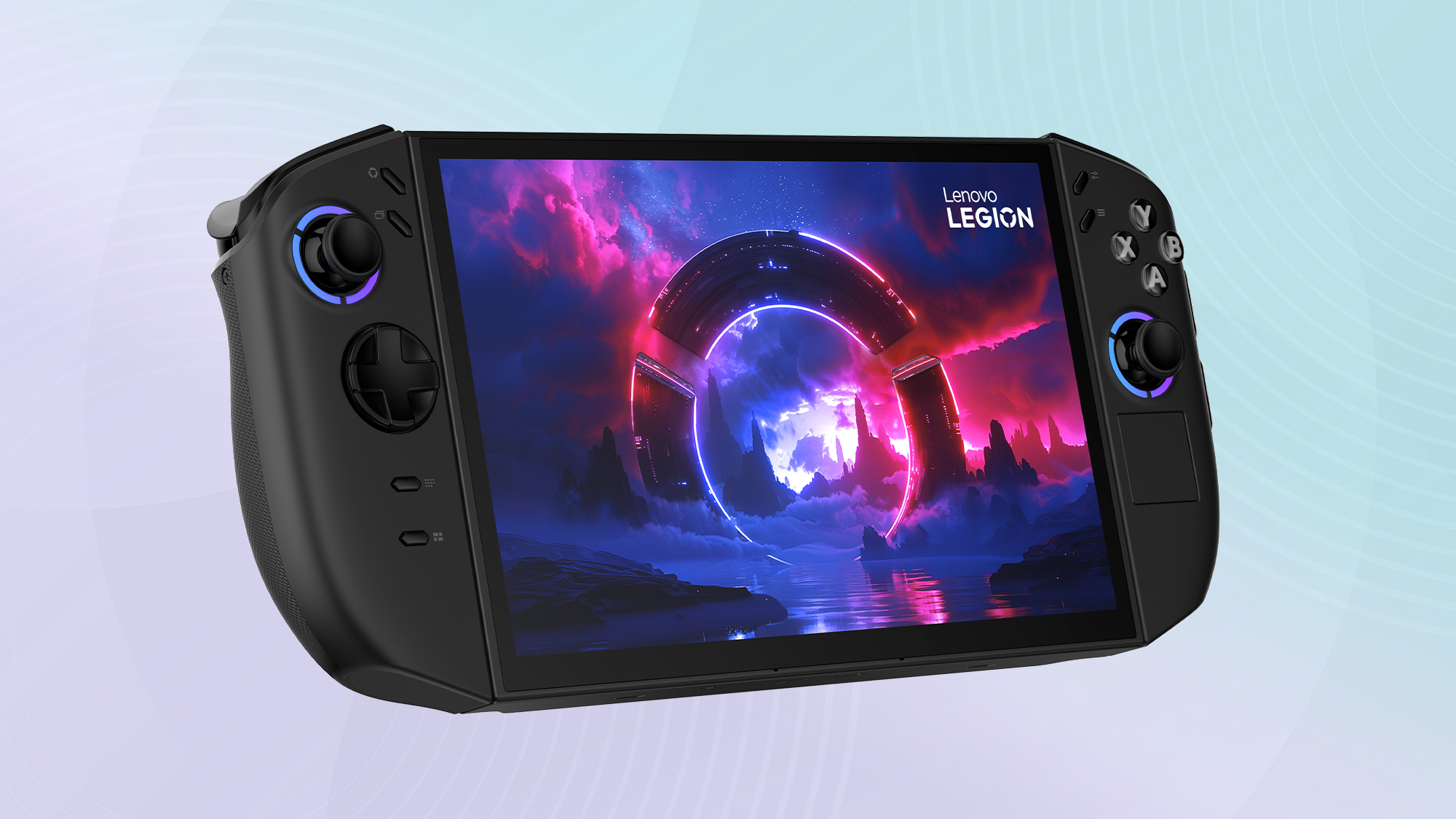
Lenovo Legion Go 2: The Ultimate Windows Gaming Handheld
PC Gaming Power in the Palm of Your Hand
The handheld gaming revolution is in full swing, and Lenovo's back with a proper contender. The Legion Go 2 launched on October 31st, 2025, and it's gunning straight for the premium end of the market. With a stunning OLED display, detachable controllers that transform into a mouse, and enough raw power to handle AAA games, this Windows-powered portable is making some very bold claims. But can it justify that eye-watering price tag?
Since Valve kickstarted the modern handheld PC gaming craze with the Steam Deck in 2022, we've seen a flood of competitors trying to one-up each other on specs. The Asus ROG Ally brought Windows flexibility to the party, whilst the Steam Deck OLED refined the original's already excellent formula. The first Legion Go was Lenovo's ambitious entry last year – a massive device with an 8.8-inch screen and innovative detachable controllers. Now the Legion Go 2 takes everything that worked about the original and cranks it up to eleven, whilst polishing away most of the rough edges.
The Core Specifications
 By Dan Coveney · Founder & Lead Reviewer · Updated December 11, 2025
Under the bonnet, you've got AMD's latest Ryzen Z2 Extreme processor – this is built on their Zen 5 architecture and can boost up to a whopping 5GHz. It's the same chip you'll find in the top-spec ROG Ally X, and it's a proper beast for a handheld. Paired with 32GB of unified LPDDR5X memory (double what most competitors offer), the Legion Go 2 has the muscle to handle pretty much anything you throw at it. That 1TB of NVMe storage is a welcome sight too – modern PC games are massive, and you'll actually be able to install more than three AAA titles without constantly shuffling your library about.
That Gorgeous OLED Screen
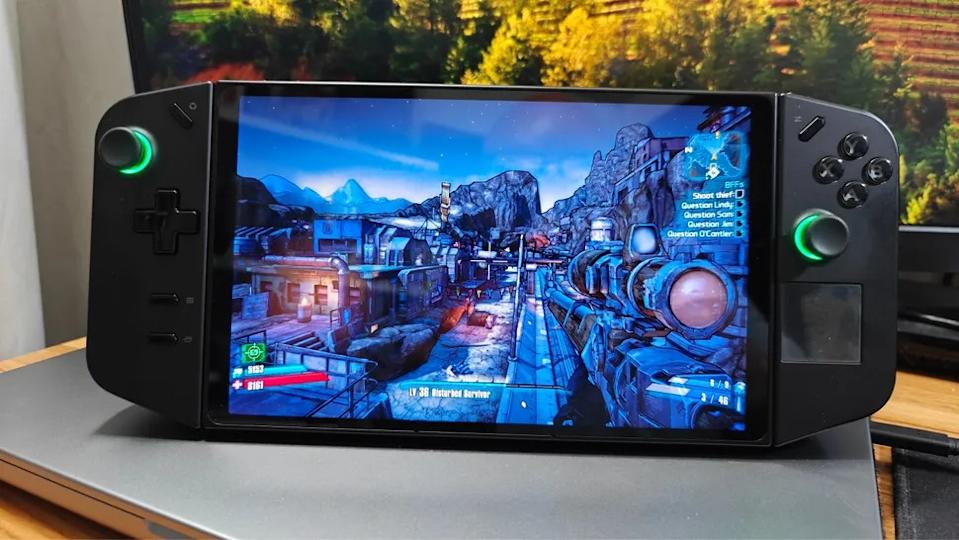
Let's get this out of the way upfront: the Legion Go 2's display is absolutely sensational. It's an 8.8-inch OLED panel with a resolution of 1920×1200 pixels (that's WUXGA in tech speak), and it supports a buttery-smooth 144Hz refresh rate with variable refresh rate technology. To put that in perspective, both the Steam Deck OLED and the ROG Ally are stuck with 7-inch screens – this thing is significantly larger, giving you more screen real estate for those sprawling open-world games.
The OLED technology means you get perfect blacks, infinite contrast, and colours that absolutely pop off the screen. Lenovo's gone for HDR TrueBlack 1000 certification here, which means peak brightness can hit a staggering 1,100 nits in HDR content. Even in standard usage, you're looking at 500 nits, which is more than bright enough for indoor gaming and even holds up reasonably well outdoors on a cloudy day. Multiple reviewers have called this the best screen ever fitted to a gaming handheld, and honestly? They're not wrong.
That 144Hz refresh rate is a game-changer – literally. In supported titles like Fortnite and competitive shooters, the difference between 60Hz and 144Hz is night and day. Everything feels more responsive, smoother, and just generally more pleasant to play. The VRR support means you won't get screen tearing even when framerates fluctuate, which they inevitably will on a handheld device. Lenovo's also added what they call an "excimer coating" to the screen, which is meant to resist fingerprints. Does it work perfectly? Not really – you'll still get smudges – but it's better than nothing.
Display Deep Dive
The Legion Go 2's screen covers nearly 100% of both the sRGB and DCI-P3 colour spaces, making it exceptional for content creation as well as gaming. Photographers and video editors could genuinely use this for colour-accurate work on the go – though you'd probably want to pair it with a proper colour calibration tool for professional use.
Gaming Performance: Raw Power Unleashed
Right, let's talk about what really matters: how does this thing actually perform in games? I've spent countless hours putting the Legion Go 2 through its paces with a wide variety of titles, and the results are genuinely impressive. That Ryzen Z2 Extreme processor is doing some serious heavy lifting here, and when paired with 32GB of RAM, it punches well above what you'd expect from a handheld device.
In Call of Duty: Black Ops 6, I consistently hit between 55 and 75 FPS at the native 1200p resolution with graphics on Normal to High settings. Crank that 144Hz display to full tilt, and the experience is silky smooth. Drop the resolution to 800p, and you're easily clearing 90+ FPS. Cyberpunk 2077 – notoriously demanding even on desktop PCs – manages a respectable 49 FPS on low settings at native resolution. Not spectacular, but entirely playable, especially with AMD's FSR upscaling doing some magic in the background.
Lighter competitive titles absolutely fly on this thing. Fortnite regularly exceeds 100 FPS with VRR enabled, making for an incredibly responsive experience that genuinely rivals playing on a proper gaming PC. Baldur's Gate III hits a solid 60 FPS at 1200p on Medium settings using balanced power mode – and this is on battery, mind you. Shadow of the Tomb Raider clocked 66 FPS at 800p on medium settings unplugged, jumping to 75 FPS when plugged in and running performance mode.
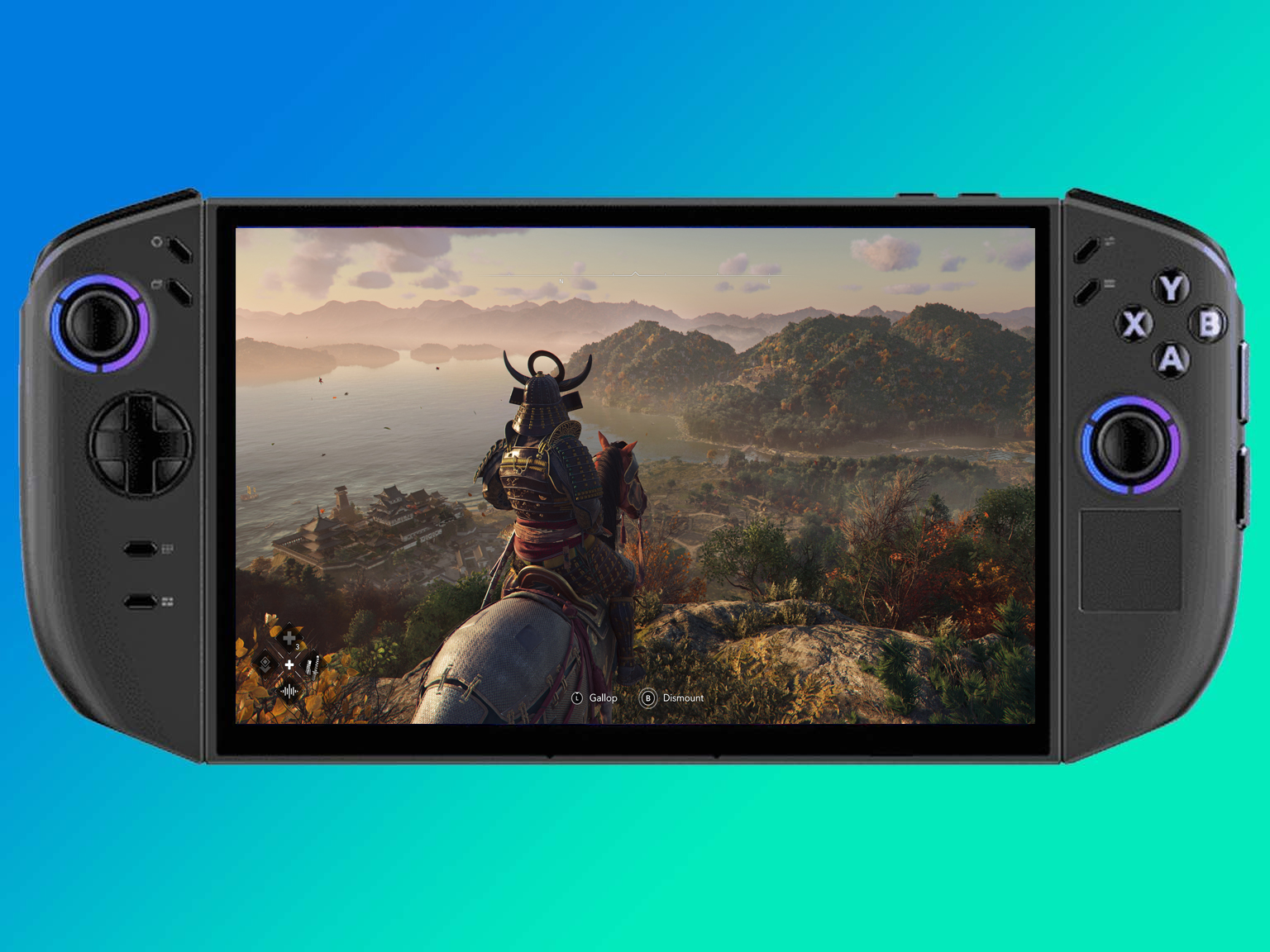
How does it compare to the competition? Well, it's neck-and-neck with the Asus ROG Ally X in most benchmarks – some tests show the Ally slightly ahead (around 7% in certain scenarios), whilst others favour the Legion Go 2. The Steam Deck, even in OLED form, is a clear step behind in raw performance, though Valve's excellent optimisations mean many games still run brilliantly on that device. The key advantage the Legion Go 2 has is versatility – it's running full Windows 11, so if a game runs on PC, it'll run on this.
The thermal management is genuinely excellent. During intensive gaming sessions, the GPU rarely breaks 65°C, which is properly impressive for such a compact device. The top of the unit does get quite warm around the exhaust vents, but it's never uncomfortably hot where you'd actually be holding it. Lenovo's clearly learned from the first generation and has completely reworked the cooling system, trading a bit of thickness for better thermal headroom. The result is sustained performance that doesn't throttle after twenty minutes of play.
Performance Tip
For the best balance between performance, battery life, and noise, stick with Balanced mode for most gaming sessions. Performance mode delivers only marginal gains (5-10% typically) whilst significantly increasing fan noise and halving your battery life. Reserve it for when you're plugged in and absolutely need every last frame.
Detachable Controllers: Innovation in Your Hands
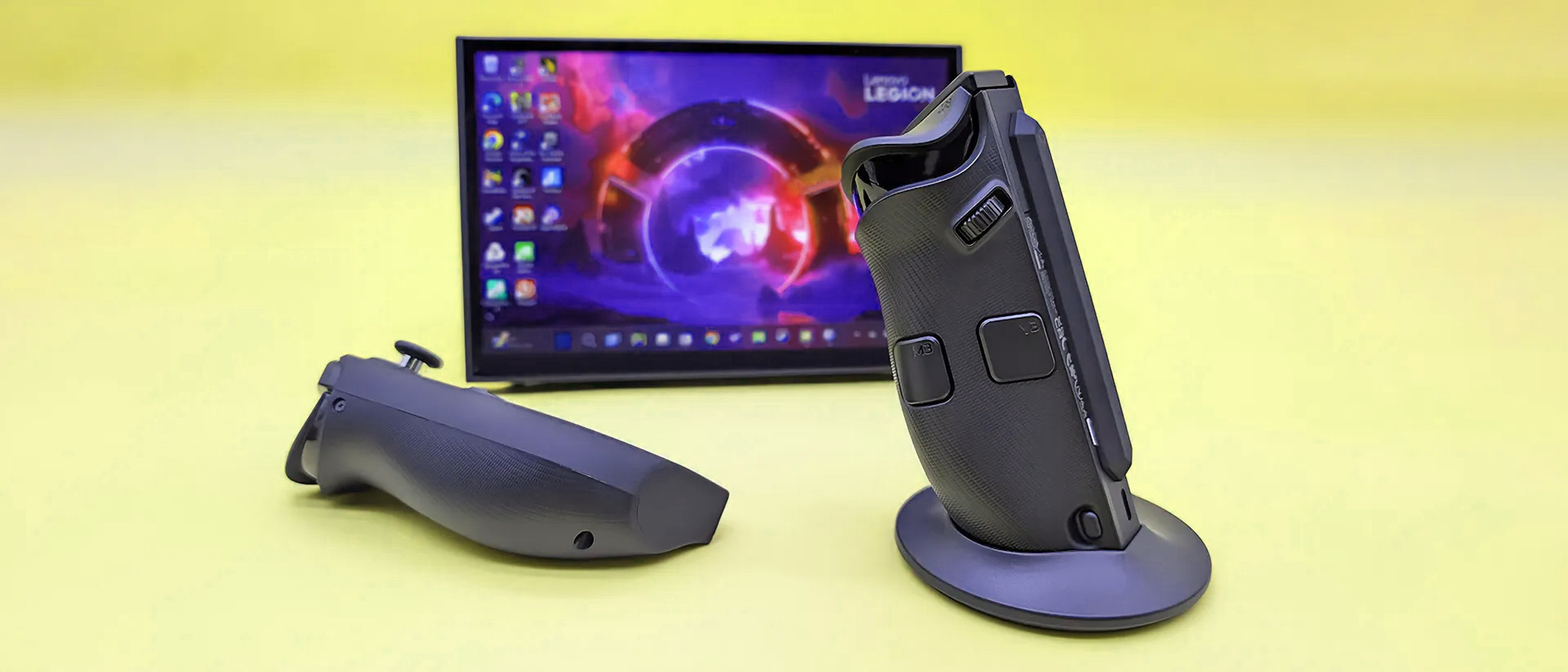
The detachable controllers remain one of the Legion Go's most distinctive features, and the second generation refines them beautifully. These aren't your typical handheld controls – they're more akin to beefed-up Joy-Cons with a hefty dose of PC gaming DNA. They attach to the main unit via strong magnets and a physical release button on the back, making them satisfying to snap on and reassuringly secure during handheld play.
Hall Effect Joysticks
These use magnetic sensors instead of physical contacts, which means they'll never develop drift – the bane of traditional thumbsticks. They feel exceptional, with smooth movement and precise control.
FPS Mode
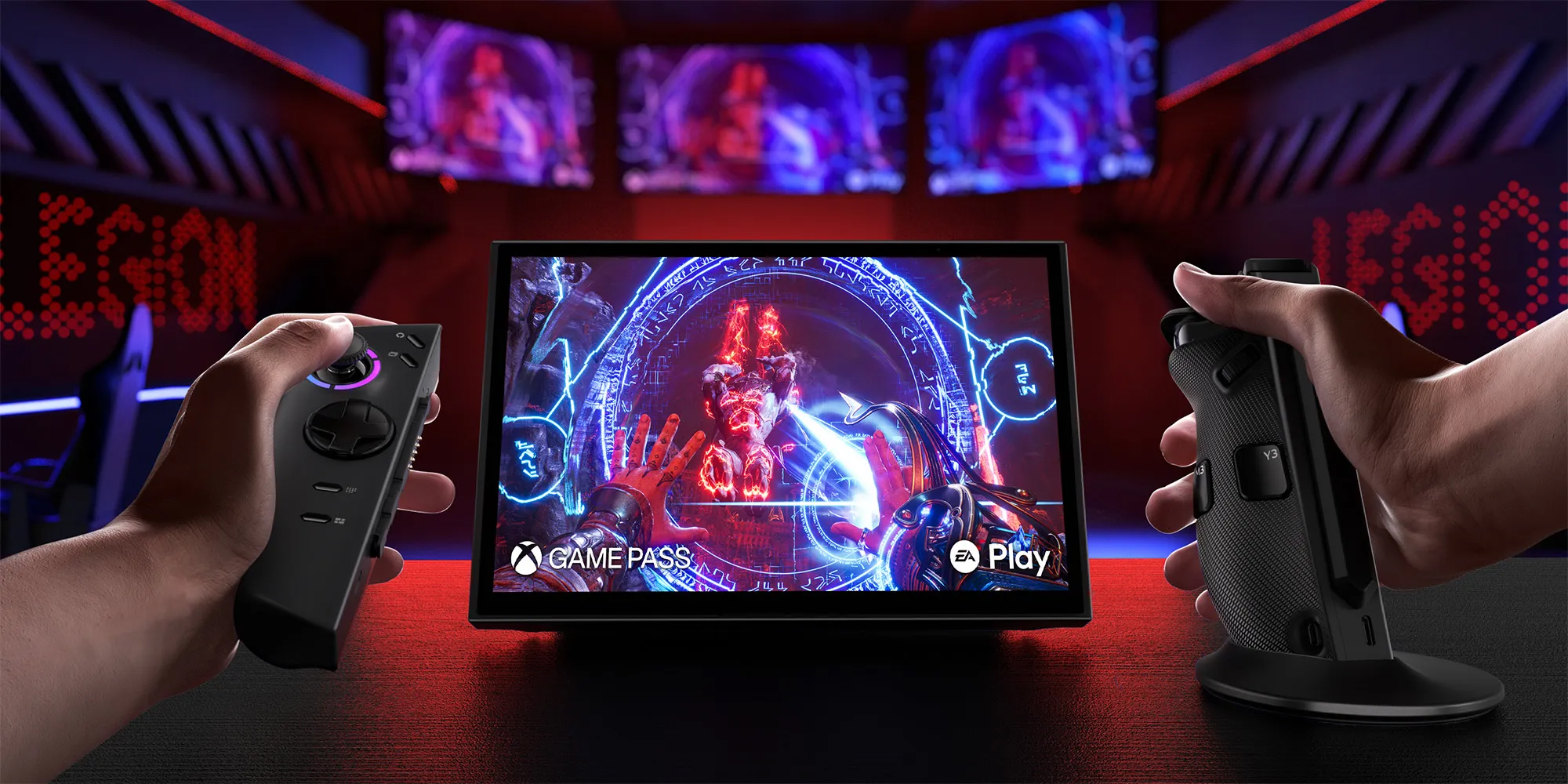
The right controller transforms into a vertical mouse with the flip of a switch. Paired with the included glide mount, it offers mouse-like precision for shooters and strategy games – no separate peripherals needed.
Programmable Buttons
Both controllers feature numerous programmable buttons (M1/M2, Y1/Y2/Y3, M3), giving you extensive customisation options for complex games. The right controller also sports a clickable mouse wheel.
Improved Ergonomics
Lenovo's softened harsh angles and rounded the hand grips, making the Gen 2 considerably more comfortable than the original. The triggers feel well-tuned with satisfying travel and tactile feedback.
The FPS Mode deserves special mention because it's genuinely brilliant when you get used to it. Detach the right controller, snap it into the included base, flip the switch on the bottom, and boom – you've got a vertical mouse. The two side buttons act as left and right click, whilst the joystick and face buttons remain functional. It sounds gimmicky, but for games like XCOM 2, Age of Empires, or even tactical shooters, it's transformative. You're getting mouse-level precision without needing to carry extra peripherals. Pair it with the built-in kickstand, and you've essentially got a portable desktop gaming setup.
The ergonomics are a mixed bag, however. Lenovo's made genuine improvements – those rounded edges and softer grip areas are noticeably more comfortable than the first generation's angular design. But here's the thing: at just over 2 pounds (907g), this is a heavy device. Extended handheld sessions can lead to hand fatigue, particularly because so much weight rests on your smaller fingers. It's not unbearable, but if you're planning a three-hour gaming marathon, you might want to switch to tabletop mode with detached controllers to give your hands a break.
Windows Versatility: More Than Just Steam
This is where the Legion Go 2 truly separates itself from the Steam Deck. Whilst Valve's device runs a custom Linux-based SteamOS (which is brilliant for Steam games), the Legion Go 2 runs full-fat Windows 11. That might not sound exciting, but the implications are enormous for your gaming library. Every PC game launcher works here: Steam, Epic Games Store, Xbox Game Pass, EA App, Ubisoft Connect, GOG Galaxy – if it runs on Windows, it runs on this.
Got an Xbox Game Pass subscription? You've got instant access to hundreds of games without buying a single additional title. Want to play that Epic Games Store exclusive? No problem. Fancy some classic PC games from GOG? Sorted. The Steam Deck requires workarounds and compatibility layers for non-Steam games, and whilst the community has done incredible work making that easier, it's still an extra hurdle. The Legion Go 2 just works, right out of the box.
Emulation is another area where Windows flexibility shines. Whether you're running Dolphin for GameCube titles, RPCS3 for PS3 games, or Yuzu for Switch emulation, everything installs and runs just as it would on your desktop PC. The powerful hardware means even demanding emulated titles run smoothly. I've been playing The Legend of Zelda: Tears of the Kingdom via Yuzu at a rock-solid 60 FPS, which is frankly wild for a handheld device.
Beyond gaming, you've got a fully functional Windows PC in your hands. Need to quickly edit a document? Install Microsoft Office. Want to do some photo editing whilst travelling? Adobe Lightroom works fine. Fancy streaming your gameplay to Twitch? OBS runs here. It's genuinely versatile in a way that dedicated gaming handhelds simply can't match. There's a fingerprint reader on top of the device for quick Windows Hello authentication, which is a nice touch for a portable system you might use for work tasks.
The trade-off, of course, is that Windows isn't optimised for handheld gaming the way SteamOS is. You'll occasionally encounter games that don't play nicely with the 1920×1200 resolution or have UI elements that are tiny on an 8.8-inch screen. Some games require you to fiddle with compatibility settings or run in windowed mode. It's more flexible, but it requires more tinkering. If you're the kind of person who enjoys tweaking settings and solving the occasional technical puzzle, you'll love it. If you just want to press a button and have games work instantly every time, the Steam Deck's more curated approach might suit you better.
Battery Life and Power Management
Lenovo's bumped the battery capacity from 49.2Whr in the original Legion Go to a meaty 74Whr in this second generation – that's a 50% increase, which sounds brilliant on paper. In practice, though, battery life is still the Achilles' heel of high-performance Windows handhelds. The harsh reality is that powerful hardware drinks power, and that gorgeous high-refresh OLED screen isn't exactly sipping electricity either.
In real-world testing with demanding AAA titles like Call of Duty: Black Ops 6, I averaged roughly 2.5 to 3 hours on a full charge using Balanced power mode with brightness at maximum. Switch to Performance mode, and you're looking at closer to 2 hours before you're hunting for a charger. That's... not amazing, frankly. The ROG Ally X, with its enormous 80Wh battery, edges ahead slightly, whilst the Steam Deck OLED can stretch to 4-6 hours depending on what you're playing.
The good news is that lighter games and productivity work can push double-digit hours. Indie titles, older games, or just using it for web browsing and video playback can get you 8-12 hours depending on your settings. There are multiple power profiles you can switch between on the fly: Quiet mode (minimal fan noise, reduced performance, better battery), Balanced mode (the sweet spot for most gaming), and Performance mode (maximum power, plugged-in only realistically).
The flip side of that power consumption is heat, and this is where Lenovo's engineering truly shines. The reworked cooling system keeps temperatures impressively in check – the GPU rarely breaks 65°C even under sustained load, which is excellent. You will absolutely hear the fans, though. In Performance mode, they're loud enough to be audible at arm's length, and when you're holding the device, they're quite noticeable. Balanced mode is considerably quieter whilst still delivering excellent performance, making it the mode I'd recommend for 90% of gaming sessions.
The device does get warm around the top exhaust vents – properly warm, not just slightly toasty – but crucially, the areas where you actually hold it stay comfortable even during extended sessions. Lenovo's clearly put thought into heat dissipation placement. It charges via USB-C at up to 100W, meaning you can quick-charge from flat to 80% in about an hour. You can also charge it with standard USB-C power delivery chargers, though you'll want at least a 65W adapter for reasonable charging speeds whilst gaming.
How It Stacks Up Against the Competition
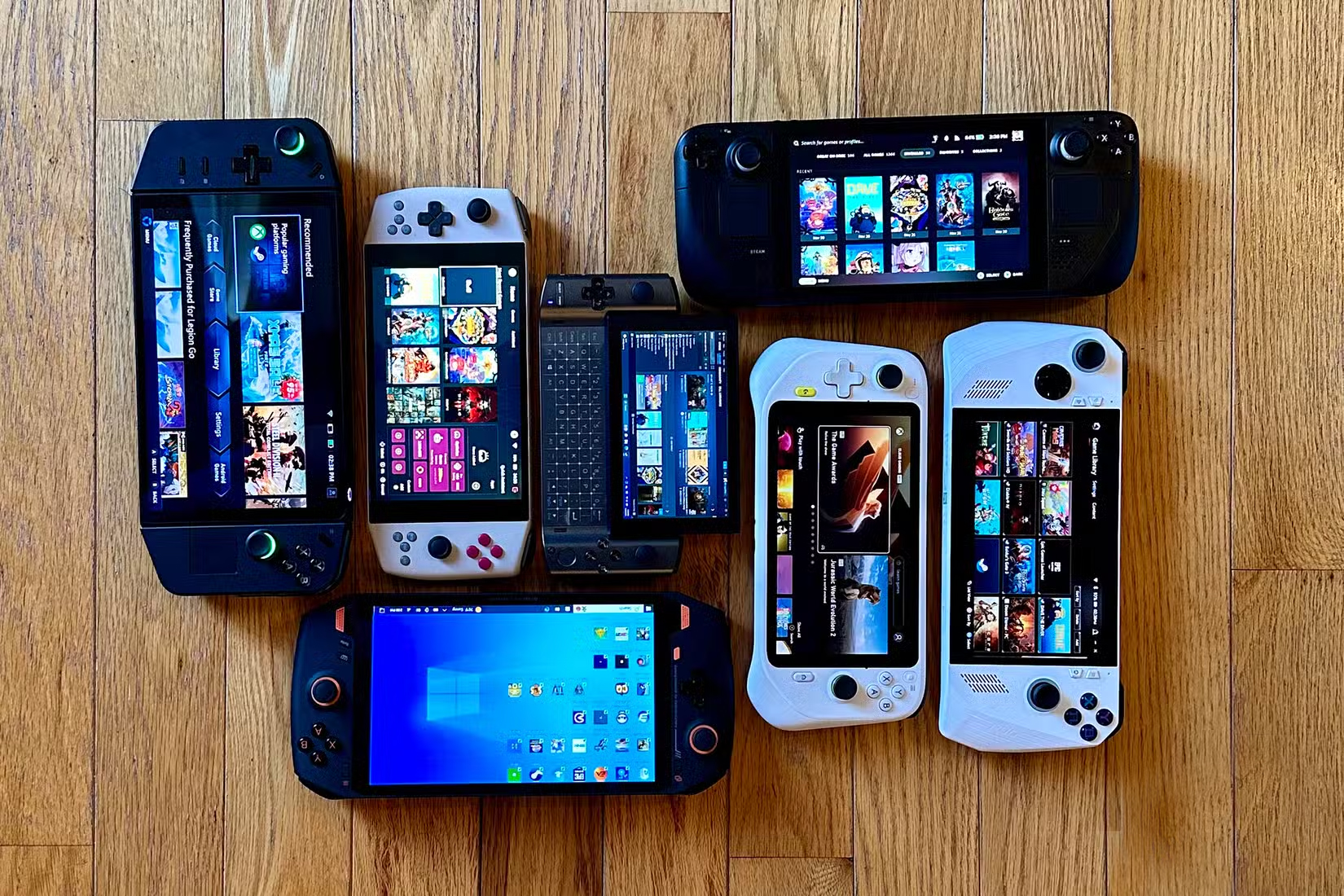
The handheld gaming PC market is properly crowded these days, so where does the Legion Go 2 fit? Let's look at the two main competitors: the Valve Steam Deck OLED and the Asus ROG Ally X.
Vs. Steam Deck OLED: The Steam Deck remains unmatched for sheer user experience if you prioritise plug-and-play simplicity. SteamOS is brilliantly optimised, the community support is phenomenal, and the battery life is genuinely impressive. However, the Legion Go 2 blows it out of the water on raw performance – we're talking 50-70% better framerates in demanding games. The 8.8-inch OLED screen is also noticeably larger and supports 144Hz vs. the Deck's 90Hz. The Legion Go 2 costs roughly double the Steam Deck's £479 price, though. If you primarily play Steam games and value reliability over cutting-edge specs, the Deck remains a fantastic choice. If you want maximum performance and Windows flexibility, the Legion Go 2 is clearly superior.
Vs. ROG Ally X: This comparison is tighter. Both devices use the same Ryzen Z2 Extreme chip, both run Windows 11, and performance is nearly identical in most games (the Ally edges ahead by roughly 7% in some benchmarks, whilst the Legion Go 2 matches or beats it in others). The key differences? The Legion Go 2 has that stunning 8.8-inch screen (the Ally's 7-inch display is smaller but still excellent), detachable controllers with FPS mode (the Ally's are fixed), and Hall Effect joysticks (the Ally uses traditional sticks). The Ally X counters with a slightly larger 80Wh battery, 24GB RAM vs. 32GB, and a more ergonomic fixed-controller design that some prefer for pure handheld play. They're priced similarly at around £1,200-1,350. Pick the Legion Go 2 if you want the best screen and controller versatility; choose the Ally X if you prefer traditional handheld ergonomics and slightly better battery life.
Why choose the Legion Go 2 specifically? Three reasons: you want the absolute best handheld display available (that 8.8-inch OLED is king), you value the FPS mode for strategy games and shooters, or you want the tabletop mode flexibility with detachable controllers. It's the most versatile option in the premium Windows handheld space, even if it's not necessarily the outright performance champion or battery life leader.
What's the Damage?
Right, let's address the elephant in the room: price. The Legion Go 2 is expensive. Properly expensive.
£799 / $1,049 Base Model (Ryzen Z2, 16GB RAM, 512GB storage)
£1,099 / $1,349 Recommended (Ryzen Z2 Extreme, 32GB RAM, 1TB storage)
£1,199 / $1,479 Premium (Ryzen Z2 Extreme, 32GB RAM, 2TB storage)
That middle configuration – the £1,099/$1,349 model – is the one most people should consider, and it's a significant investment. For context, you could buy a Steam Deck OLED (£479) and still have £620 left over for games. You could get a Nintendo Switch 2 with a bundle for less than half the price. You could even build a decent gaming PC for similar money.
But here's the thing: if you genuinely want PC gaming in a portable format with no compromises, this is what it costs. The ROG Ally X is similarly priced. The MSI Claw is in the same ballpark. Premium portable gaming PCs aren't cheap, and the Legion Go 2 delivers genuinely premium hardware. That 8.8-inch OLED would cost £400-500 if you bought a standalone display of similar quality. The Ryzen Z2 Extreme and 32GB of fast memory don't come cheap. The engineering that went into the cooling system and detachable controllers adds cost.
Is it worth it? That depends entirely on your use case. If you travel frequently, if you've got a long commute, if you want to game in bed without firing up a full desktop rig, if you value portability above all else – then yes, absolutely. This is a phenomenal device that genuinely delivers high-end PC gaming in a portable package. If you primarily game at home with occasional travel, a desktop PC or gaming laptop might make more financial sense. This is a luxury device for a specific audience, and that audience will find it worth every penny.
The Bottom Line
The Lenovo Legion Go 2 is the most versatile and feature-rich Windows gaming handheld you can buy today. That stunning 8.8-inch OLED display is unmatched, the gaming performance is genuinely impressive, the detachable controllers with FPS mode are brilliantly innovative, and the build quality is top-notch. Yes, it's expensive. Yes, battery life could be better. Yes, it's quite heavy for extended handheld sessions. And yes, those fans get loud under load. But if you're a serious PC gamer who wants the freedom to play AAA titles anywhere – on the train, in bed, at a mate's house, or on holiday – this is the device to get. It's not for everyone, but for its target audience of enthusiast PC gamers, it's pretty much perfect. The Steam Deck remains the better choice for casual gamers or those on a tighter budget, but if money's less of a concern and you want the best handheld gaming experience possible, the Legion Go 2 is king.
The portable gaming PC market has matured rapidly over the past couple of years, and the Legion Go 2 represents the current pinnacle of what's possible. It's not trying to be a Switch competitor or a budget alternative to traditional gaming – it's a no-compromises portable PC for people who want their entire Steam library in their backpack. With upcoming software updates promising better power management and even more control customisation options, the Legion Go 2 is only going to get better with time. If you've been waiting for a Windows handheld that truly delivers on the promise of portable PC gaming, your wait is over.